




We have tested many investing tools over the years, and we also pay attention to what serious operators use in the field. This guide pulls those notes into one place.
Most investors are not short on ideas. They are short on time, clean data, and a repeatable follow-up system. The right software helps you fix those bottlenecks. Instead of ranking tools from best to worst, we grouped them by the job they do best. That way, you can pick the right tool for your exact workflow, not someone else’s.
Some platforms are great at nationwide data and list building. Others combine property intelligence, owner identification, and direct outreach in one workflow. Some are built for CRM follow-up, underwriting, or rental bookkeeping. If you are trying to bring in more deals, focus on three things: accurate ownership info, fast outreach, and simple tracking so nothing falls through the cracks.
You do not need a huge tech stack to win. You need tools your team will actually use every day, both on the road and at your desk. We wrote this with real investors in mind. We cover strengths, tradeoffs, pricing ranges, and who each tool is best for in 2026.
Here is a quick comparison table. After that, we break down each tool with a clear “best for” use case.
11 Top Real Estate Investing Software Used in 2026, with Pricing and Recommended Use Cases
|
Tool / Platform |
Best For |
Pricing |
|
DealMachine |
All-in-one data and outreach teams |
$119/month (or $99/month billed annually); unlimited contact info, phone numbers, and email addresses |
|
PropStream |
In-depth researchers |
$99/mo; skip tracing available at $199/mo tier and up |
|
BatchLeads |
High‑volume prospectors |
From $119/mo; now under PropStream |
|
REI BlackBook |
Investors needing CRM + phones |
$97–$297/mo (Basic/Growth/Professional) |
|
Privy |
Comps and on‑market deals |
$149/mo ($119 annual) |
|
DealCheck |
Analyzers and underwriters |
Free; Plus $10/mo; Pro $20/mo |
|
Stessa |
Long‑term rental owners |
Free core; Manage $12–$15/mo; Pro $28–$35/mo |
|
Realeflow |
Flippers with teams |
From ~$75/mo; tiers vary |
|
Mashvisor |
Out‑of‑state buyers |
From $29.99/mo; tiers up to $74.99/mo |
|
PropertyRadar |
Local list-building pros |
$119–$599/mo tiered |
|
REIPro |
Beginners needing structure |
$109/mo ($89 annual); trial offers vary |
Scroll down for detailed takes on each option. Each review includes a description of how the program works, key features, target users, pricing, pros and cons, and an overview of user ratings.
What is real estate investing software?
Real estate investing software is a set of tools that help you source deals, analyze numbers, manage outreach, and track performance across your portfolio or pipeline.
As the saying goes, "You can’t improve what you don’t measure." Good software gives you data you can act on and direct access to owners.
If one solid off-market deal nets $20,000, the right tool that helps you land just one more deal each quarter can add $80,000 a year. That beats any spreadsheet savings.
In short, investors, wholesalers, agents, and flippers use these apps to build lead lists, pull comps, contact owners, automate follow-ups, and close deals faster with fewer miscues.
Many pair investing software with dialers, direct mail, texting tools, e-signature platforms, and accounting apps to round out the workflow from first touch to funds.
Not every option is equal in terms of data accuracy, outreach tools, or cost as you scale, so it pays to choose carefully.
How to Choose the Best Real Estate Investing Software
There are a lot of choices, and they start to blur together. It is easy to feel stuck when features sound the same, and pricing hides key limits. We wrote this to help you match your actual workflow to the right tool. Your needs at one deal a month are different from those at ten a week.
We are not sponsored by any platform on this list. This is our honest take based on real use and results.
Here are some questions you should ask when looking for a platform:
- Does the free tier or trial let you test real workflows, not demos?
- How quickly can you build a list, pull comps, and contact owners?
- Can it grow from solo operator to a small team without a rebuild?
- What will it cost at 5,000, 25,000, and 100,000 records a month?
- Does it include mail, skip tracing, and simple CRM or does it need add-ons?
- Are analytics clear on cost per lead, appointment, and deal?
- How hard is it to export data and switch if needed?
- What uptime, data refresh, and quality checks are in place?
- Does it handle compliance for texting, mail, and calling in your market?
There is a lot to compare, so we kept it simple. Start with your main use case, then add tools as your pipeline grows. Most investors end up with a small stack: one tool to find leads, one to contact owners, and one to track follow-up. Analysis and bookkeeping tools come next.
Best Real Estate Investing Software In 2026 By Use Case
- Best All-In-One Property Data And Outreach Platform: DealMachine
- Best For In-depth Property Research: PropStream
- Best For High-Volume SMS Prospecting: BatchLeads
- Best For CRM And Marketing Automation: REI BlackBook
- Best For MLS-Linked Deal Alerts: Privy
- Best For Fast Deal Analysis Reports: DealCheck
- Best For Rental Bookkeeping And Tax Prep: Stessa
- Best For Marketing Plus Rehab Tools: Realeflow
- Best For Rental Market Analytics: Mashvisor
- Best For Local Property Intelligence: PropertyRadar
- Best For Step-By-Step Workflows: REIPro
Quick note: it is normal to use more than one tool. The goal is a workflow your team can repeat every week.
Now, let’s break down each option and who it fits best.
Best All-In-One Property Data And Outreach Platform: DealMachine
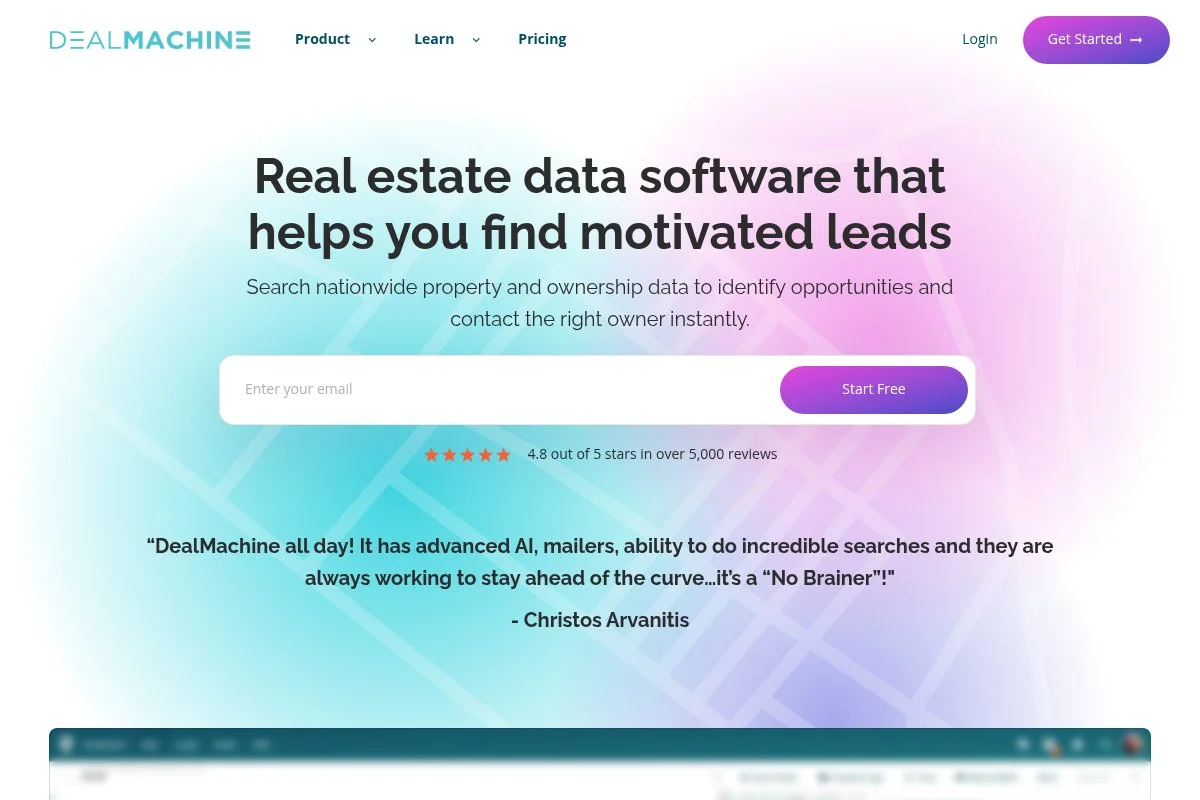
DealMachine is an all-in-one property data and outreach platform built for identifying and closing off-market deals. It combines nationwide property data, owner identification, skip tracing, comps, and direct mail into a single workflow. Thousands of teams use it to fuel their pipeline each week.
Plans start at $119/month (or $99/month billed annually). Setup is quick: search any market, pull owner details, stack lists by your criteria, and launch outreach from the same screen. Daily tasks center on the List Builder filters, nationwide comps, skip tracing, and sending mail; all from your phone or desktop.
Recent updates tightened the data engine: faster nationwide comps, upgraded skip tracing accuracy, smarter list filtering, team collaboration tools, and better mail personalization. We also rolled out easier Zapier and webhooks to plug into your CRM stack.
Higher tiers unlock advanced mail sequences, team management, dynamic lists, API access, and batch tools for scaling. Few competitors combine property intelligence, owner identification, and outreach in a single platform like this.
Investors within DealMachine's organization use it for their own personal ventures. That is not an ad line; it is our operation. The speed from identifying a property to contacting its owner still wins deals.
Support is fast, the mobile and desktop apps are clean, and the learning library is practical. New team members ramp up in a day, keeping operations moving without training headaches.
How DealMachine works and key features
The main interface is a map-based property intelligence dashboard. Search any address or market, filter by equity, distress signals, owner type, and dozens of other criteria. Build targeted lists at your desk or tag properties on the go.
Templates for mail, saved filters, and list segments help new users move fast. Power users customize mail, tags, fields, and automate workflows with Zapier or webhooks.
You get instant owner data, nationwide comps, estimated equity, and property details. Track mail status and notes in a built-in CRM. Analytics show cost per lead and per deal across every list and campaign.
Automations handle multi-touch mail, task reminders, and drip follow-ups. The platform covers list building, skip tracing, comps, direct mail, and light CRM—so you are not stitching five tools together.
Support is chat and email with live training options. As one user put it, “We closed three deals in 90 days after switching to DealMachine.” — S. Turner, Indy wholesaler
Overall, it is beginner-friendly yet powerful enough for teams that need data depth and outreach speed in one place.
Who DealMachine is for
Best for wholesalers, flippers, small buy-and-hold teams, solo agents chasing off-market, and acquisitions managers. It shines for property identification, targeted list building, and fast owner outreach. Teams get collaboration tools and bulk workflows. If you only need a standalone calculator or long-form underwriting, a lighter analyzer may fit better. No coding needed; it is very beginner-friendly.
DealMachine pricing
DealMachine pricing is tiered by features and team needs, with usage-based credits for mail. There is a free trial to test workflows before you commit.
- Starter: $119/month ($99/month annual), single user, core list building, property data, basic comps, and mail sending.
- Pro: $179/month ($149/month annual), up to a few users, advanced filters, enhanced comps, mail sequences, team features.
- Teams: $499/month, multiple users, team analytics, dynamic lists, webhooks/API, priority support.
Value is strong versus piecing together separate data, skip, and mail tools. Annual billing saves more. At scale, having data and outreach in one platform often covers the plan by itself.
DealMachine pros and cons
Pros
- Property data, owner ID, comps, skip tracing, and mail in one platform
- Nationwide coverage with fast, accurate comps
- Clear analytics on list and campaign performance
- Good value compared to stitching multiple tools together
Cons
- Advanced mail and API features require higher tiers
- Heavy texters may still pair with a separate SMS tool
- Credits for mail add variable cost as you scale
If you want property intelligence and owner outreach in one platform, pick this. If you only need a standalone calculator, look lower on the list.
DealMachine reviews
Google reviews show a 4.7 average rating out of 589 reviews. App Store/Play Store ratings skew high, with frequent praise for the data-to-outreach workflow. Most feedback comes from investor communities.
Best For In-Depth Property Research: PropStream
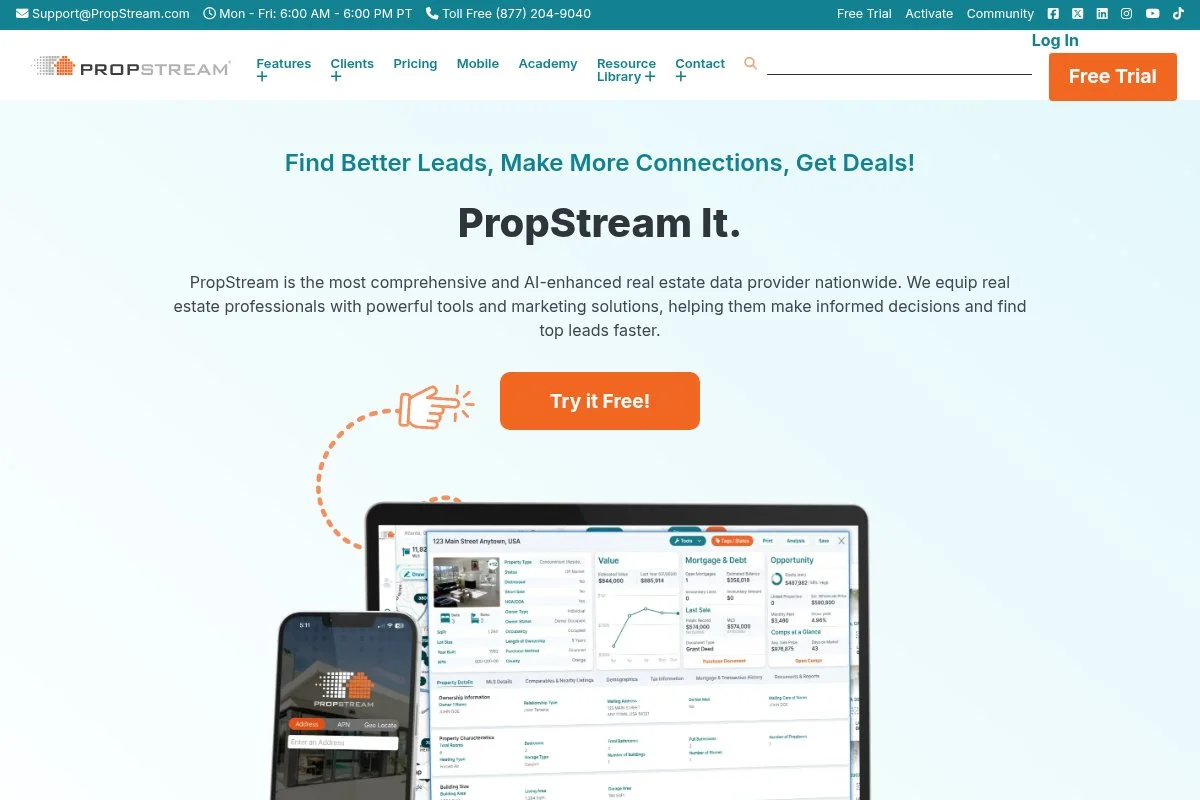
PropStream is a data-based platform built for research and comps, mainly for investors who want to use multiple filters.
Entry starts around $99/month. To get started, you will: set a market, stack filters, and export lists. Daily use centers on list building, comps, estimated equity, and owner details.
Recent updates improved filtering speed and data refresh. The mobile app also received much-needed updates.
Premium add-ons include extra data exports, skip tracing, and marketing tools. While it covers outreach, many teams still pair PropStream with separate mail or CRM apps.
A previous article using PropStream side-by-side with DealMachine is available for further comparison.
Support is stable, and tutorials are available. The interface can feel busy at first.
How PropStream works and key features
The interface is a web dashboard with maps, filters, and property cards. Lists are customizable.
Templates are less about design and more about saved searches. Advanced users can export data and run skip tracing and postcards through the app for additional fees (or unlocked with higher tiers).
Analytics include comps, estimated values, and heat-map style insights. Automations lean on saved lists and drip campaigns for mail and email.
Beyond core data, it offers basic websites and landing pages. Support is by chat, help center, and webinars. “Filter depth is the main win,” one user shared in a BiggerPockets thread.
Overall, it suits data-focused users who like to export and plug into other systems.
Who PropStream is for
Best for wholesalers, agents, and analysts who want data with tight filters. Good for pre-foreclosures, absentee owners, and niche list stacking. If you want a mobile-first driving flow, another tool may fit better.
PropStream pricing
PropStream uses a base subscription with higher tiers for more features. Trials and promotions are sometimes available.
- Essentials: $99/month, data, comps, basic exports, saved searches.
- Pro: $165–$199/month, skip tracing included, higher export limits, advanced filters.
- Elite: $699/month, full feature access, highest limits, priority support.
Pricing scales quickly at higher tiers. Skip tracing is only included on Pro and above. Annual plans may offer savings.
PropStream pros and cons
Pros
- Data and filters
- Accurate comps and owner insights
- Works well with other CRMs via exports
Cons
- Higher tiers required to access tools included on other platforms
- Interface can feel busy for new users
- Outreach tools are basic compared to CRMs
Good for research and list building. Pair it with a focused outreach tool if speed to contact is key.
PropStream reviews
Trustpilot/G2: Mixed and limited third-party reviews. Many investors discuss pros and cons in forums rather than review sites.
Best For High-Volume SMS Prospecting: BatchLeads
BatchLeads is built for high-volume prospecting with lists, skip tracing, and texting. It is popular with wholesalers who need fast output and team dashboards. Note: BatchLeads was acquired by PropStream in mid-2025 and now operates under that umbrella.
Plans start at $119/month (Growth tier). The interface is a dashboard with list stacking, inbox-style texting, and lead pipelines. Daily use focuses on skip, SMS, tagging, and follow-ups.
Recent improvements include cleaner compliance tools and campaign metrics. Deliverability and opt-out handling have been tightened to reduce risk.
Higher tiers add more users, bigger text volumes, and deeper analytics. It also includes common CRM handoffs.
We have tested BatchLeads side by side with DealMachine.
Support and onboarding videos are offered. It is recommended to plan time for setup and compliance best practices to keep campaigns healthy.
How BatchLeads works and key features
The core is a list and messaging dashboard. You can import, stack, and launch SMS campaigns with templates and auto-responses.
Customization covers tags, fields, and sequences. Advanced users use webhooks, Zapier, and dialer links to sync with their CRMs.
Reporting shows delivery, response, appointment rates, and cost per lead. Automations handle follow-ups and routing to team members.
There are landing pages and forms for inbound leads. Support is chat and training videos. A user said, “Texting throughput is the reason we stay.” — J. Cruz, Phoenix wholesaler
Overall, it is a great tool for SMS-heavy teams. Beginners should start small and learn compliance.
Who BatchLeads is for
Best for wholesalers, acquisition reps, and cold outreach teams. Strong for list stacking and SMS at scale. If you avoid texting, another pick may fit better. Some technical setup helps, but the UI is straightforward.
BatchLeads pricing
Pricing combines subscription tiers with usage fees for texting and skip tracing. Trials are sometimes available.
- Growth: $119/month, core lists, some skip tracing included, single user
- Professional: $349/month, higher volumes, more users, advanced analytics
- Scale: $749/month, team features, higher limits, premium support
Limited skip tracing is now included in all plans, but results may vary. SMS requires a third-party provider like Twilio. Annual savings may apply. Value is strongest if SMS is your main channel.
BatchLeads pros and cons
Pros
- Fast list stacking and skip tracing.
- SMS at scale with inbox workflows.
- Clear campaign analytics and routing.
Cons
- Usage fees add up at volume
- Compliance needs care and process
- Less friendly if you do not text much
Pick this if SMS is your engine. If not, another tool may be more cost-effective.
BatchLeads reviews
G2/Capterra: Limited public data. Feedback is common in investor groups; sentiment is strong on output and mixed on costs.
Best For CRM And Marketing Automation: REI BlackBook
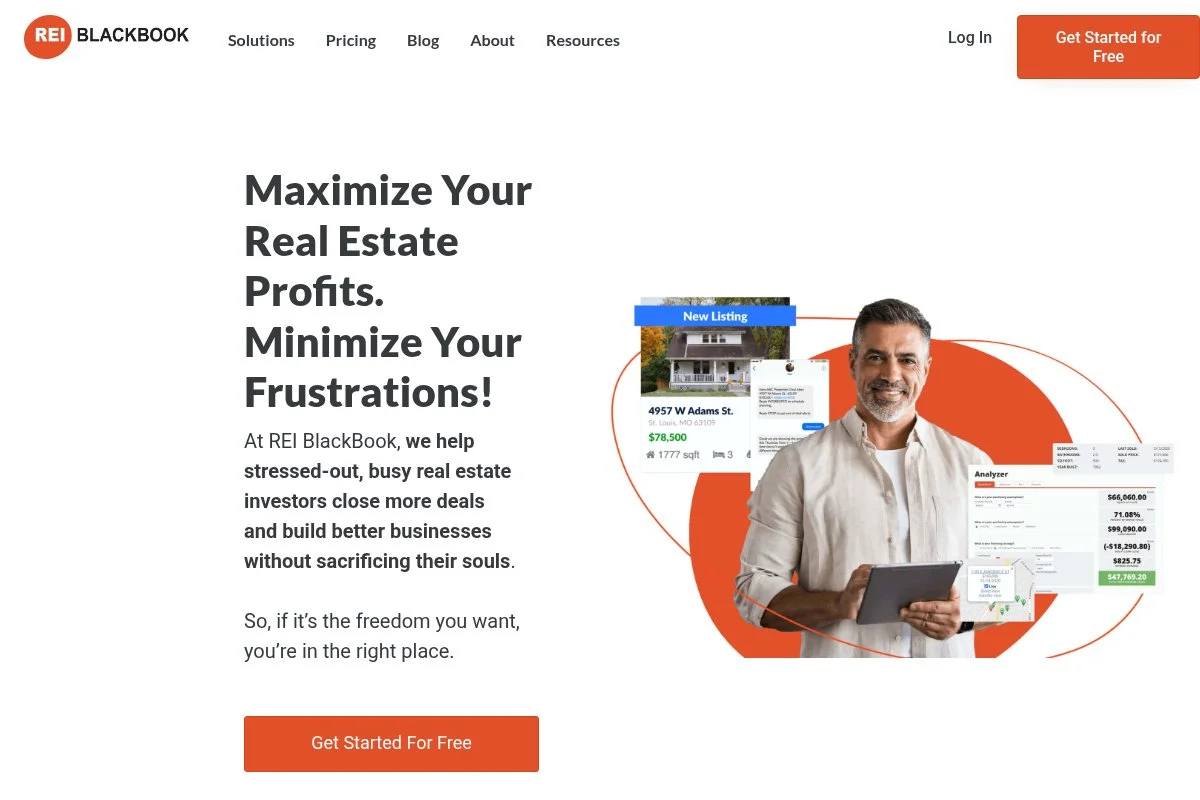
REI BlackBook is a real estate-focused CRM with built-in marketing. It brings contacts, websites, call tracking, and automation into one system for investors.
Starting near $97/month, the setup walks you through pipelines, phone numbers, and web pages. Daily use is about leads, calls, texts, and follow-up sequences.
Recent changes improved pipelines and call routing. The team keeps adding real estate templates, which helps new users get moving.
Higher plans add more numbers, call tracking minutes, and advanced automations. It also supports disposition workflows and buyer lists.
It's best for teams that want phones and CRM under one roof. It can replace several tools if you commit to it.
Support is strong, with frequent trainings offered. The UI is dense in places but smooth once set up.
How REI BlackBook works and key features
The core is a pipeline CRM with contact timelines. A drag-and-drop page builder powers landing pages and lead forms tied to campaigns.
Templates cover acquisitions and dispositions. Advanced users add custom fields, build automations, and connect to outside tools with Zapier.
Reporting shows campaign performance, call tracking, and pipeline speed. Automations route calls, send texts, and manage tasks.
Extras include websites, call tracking, text campaigns, and voicemail drops. Support is live training, chat, and a big help library.
Balanced for beginners and advanced users who want everything tied together.
Who REI BlackBook is for
Best for small brokerages and investors who want CRM, phones, and web pages in one. Strong for follow-up and dispositions. If you already have a CRM stack, this may overlap. Basic skills are enough to get going.
REI BlackBook pricing
Pricing is tiered by features, numbers, and automation capacity. Trials and onboarding promos are common.
- Basic: $97/month, core CRM, websites, basic automation
- Growth: $197/month, more users, numbers, and advanced automations
- Professional: $297/month, higher limits, premium features, and support
Value is good if you replace separate CRM, call tracking, and page tools. Annual plans usually reduce cost.
REI BlackBook pros and cons
Pros
- CRM, phones, and pages together
- Good automations and templates
- Disposition and buyer list tools built in
Cons
- UI can feel dense at first
- Some overlap if you have a CRM already
- Phone minutes can increase costs
Choose it if you want an investor-focused CRM with phones. If you prefer your own CRM, pair list tools with that instead.
REI BlackBook reviews
G2/Capterra: Generally positive, with praise for automation. Review counts are moderate for a niche tool.
Best For MLS-Linked Deal Alerts: Privy
Privy connects to MLS data in supported markets to surface active and recent deals. It is aimed at investors who want on-market speed with accurate comps.
Plans start at $149/month (or about $119/month billed annually). Onboarding walks you through markets, alerts, and comp settings. Daily use is saved searches, alerts, and quick comp checks.
Recent updates expanded market coverage and improved alert quality. The comp view is faster and cleaner than past versions.
Higher plans add more markets and collaboration features. You can export leads and feed them into your CRM for outreach.
We like it for agents and investors who live on the MLS. Alerts help you jump on price drops and hot listings.
Support is active with webinars and guides. Coverage varies by region, so check your markets first.
How Privy works and key features
Privy’s interface is a clean MLS-style feed with analysis overlays. You can toggle comps, ARVs, and investor activity with a few clicks.
Templates revolve around saved searches and alert rules. Advanced users export leads, use tags, and connect to CRMs with Zapier.
Reports show price changes, days on market, and comp spreads. Automations push email or in-app alerts as deals match your rules.
There are simple landing pages for opt-ins. Support offers training calls and recorded sessions. “Alerts paid for my sub in a week,” says D. Morgan, Denver agent-investor.
It is beginner-friendly and sharp for comp-minded pros.
Who Privy is for
Best for agents, on-market investors, and buyers in hot MLS markets. Great for alerts and fast comps. If your market is not covered, consider a broader data tool. No technical skill required.
Privy pricing
Pricing is per user with limits by market coverage and features. Trials and intro pricing appear at times.
- Standard: $149/month ($119/month annual), core markets, alerts, comps, exports.
- Premium: Higher monthly cost, more markets, collaboration tools.
Good value if MLS coverage fits your area. Annual discounts are available. Always confirm your counties before buying.
Privy pros and cons
Pros
- Fast MLS-linked alerts and comps.
- Clear investor activity views.
- Easy to export to your CRM.
Cons
- Coverage varies by market.
- Fewer off-market outreach tools.
If you thrive on the MLS, it is a strong add. If you need an off-market owner contact, pair it with another app.
Privy reviews
Capterra/Product Hunt: Limited but positive where listed. Users often share wins in local investor groups.
Best For Fast Deal Analysis Reports: DealCheck
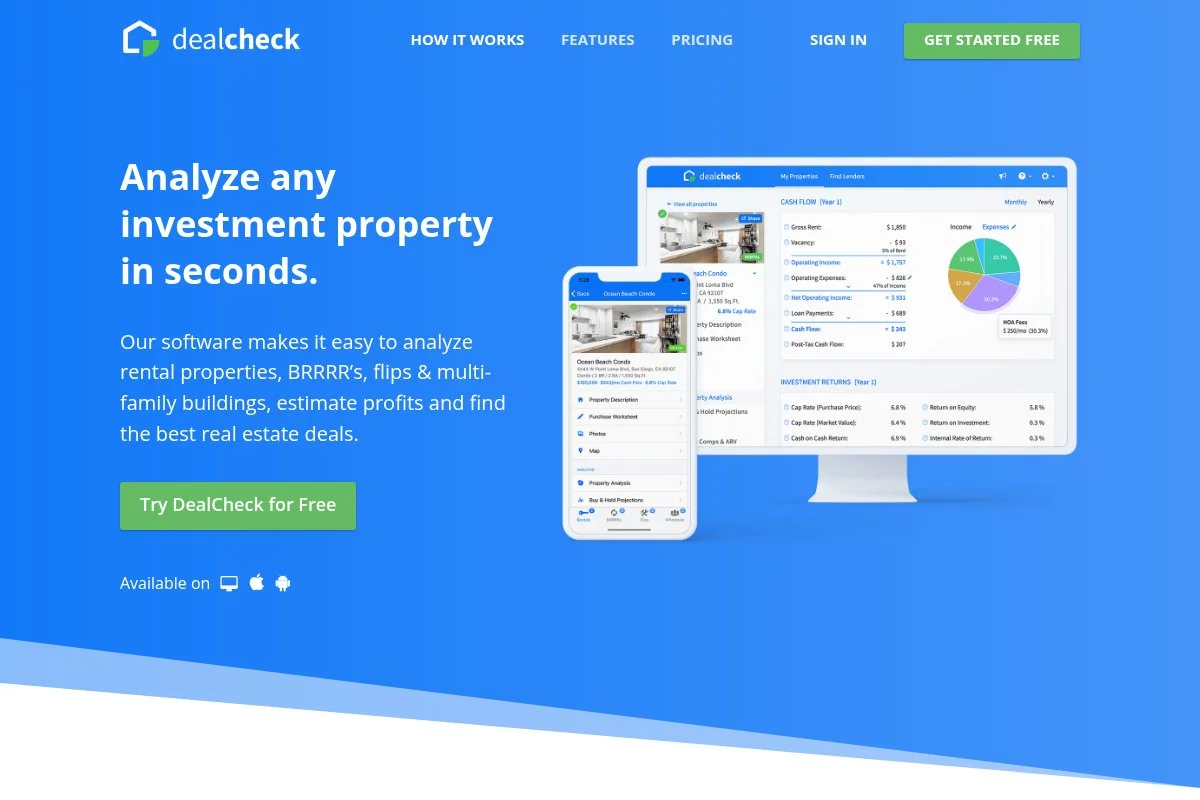
DealCheck is a fast analyzer for rentals, flips, BRRRR, and multi-family. It is a favorite for quick underwrites and clean reports you can share.
You can start free. Getting going is easy: input property, purchase, rehab, rent, and exit assumptions. Daily use is scenario testing and one-click reports.
Recent updates improved templates and report branding. The mobile app has stayed quick and stable for on-site checks.
Paid plans add more properties, custom templates, and bulk import. It is a strong companion to your list or CRM tool.
It is great for teaching new team members deal math.
Support is responsive, and docs are clear. The UI is clean and focused on the numbers.
How DealCheck works and key features
The editor is a form-based flow with instant outputs. Templates speed up typical assumptions for taxes, insurance, and vacancy.
You can customize fields, add photos, and attach comps. Power users import CSVs and adjust return thresholds and buy boxes.
Analytics cover cash flow, ROI, cap rate, DSCR, and equity. Reports export as PDFs with your brand and notes.
Automations are light, with a focus on templates and imports. Support is via email and guides. “Best calculator app I’ve used,” says a common App Store review.
Beginner friendly, yet detailed enough for quick underwriting.
Who DealCheck is for
Best for buy-and-hold investors, flippers, and agents who need fast math and shareable reports. Works well for training juniors. If you need owner data or outreach, use another tool with it. No technical skill needed.
DealCheck pricing
Pricing is tiered by property limits and features, with a generous free plan for testing.
- Starter: $0, limited properties, core calculators, basic reports
- Plus: $10/month (billed annually), increased property limits, more features
- Pro: $20/month (billed annually), full features, custom branding, branded PDF reports
It is a great value for analysis. Annual billing lowers the price further. Keep in mind you will pair it with list and outreach tools.
DealCheck pros and cons
Pros
- Fast, clean calculators and reports
- Useful free plan for new investors
- Mobile app makes field checks easy
Cons
- No owner contact or skip tracing.
- Light on automations and integrations
Perfect as your math engine. Pair it with a lead gen tool to complete the stack.
DealCheck reviews
Capterra/App Stores: Generally very high ratings with hundreds of reviews praising simplicity and reports.
Best For Rental Bookkeeping And Tax Prep: Stessa
Stessa is built for rental property owners to track income, expenses, and taxes. It pulls in transactions to show true performance without spreadsheet chaos.
There is a free plan. Setup links your bank accounts, sets properties, and assigns transactions. Daily use is categorizing expenses and reviewing dashboards.
Recent releases improved tax reporting and document storage. The app is now smoother for multi-property portfolios.
Paid plans add more reporting, receipt capture, and premium support. It is a solid back office for buy-and-hold teams.
Stessa is best used as an owner ledger. It plays fine with your CPA and keeps numbers tidy.
Support is knowledge-base driven with email help. It is simple enough for non-accountants.
How Stessa works and key features
The interface is a portfolio dashboard with property-level views. You connect accounts, set rules, and categorize income and expenses.
Templates for categories and reports help standardize. Advanced users export CSVs and sync documents to share with their CPA.
Analytics cover NOI, cash flow, rent roll, and performance over time. Automations handle transaction rules and recurring items.
Extras include tax reports and document storage. Support is email and guides. “Made tax time painless,” is a common review theme.
Great for beginners and seasoned landlords alike.
Who Stessa is for
Best for landlords, BRRRR owners, and small multifamily operators who need clean books. Strong for tax prep and performance tracking. If you only flip, you may not need it. Very beginner-friendly.
Stessa pricing
Pricing is freemium with tiered upgrades for advanced features.
- Basic: $0, core tracking, dashboards, basic reports
- Manage: $12–$15/month, additional reporting and document tools
- Pro: $28–$35/month, enhanced reports, receipt capture, premium support
The free tier is generous. Pro is affordable for the time it saves at tax time. Annual plans reduce cost.
Stessa pros and cons
Pros
- Free core plan covers most needs
- Clean dashboards for portfolio health
- Solid tax and document tools
Cons
- Not built for acquisitions or outreach
- Bank connections can need re-authorization at times
Great if you hold rentals. Flippers may use it less.
Stessa reviews
G2/Capterra: Strong ratings from landlords citing easier bookkeeping. Review counts are substantial for the niche.
Best For Marketing Plus Rehab Tools: Realeflow

Realeflow blends marketing, rehab tools, and basic CRM for investors. It has been serving flippers and wholesalers for many years.
Plans start around $75/month. Setup guides you through lead types, marketing campaigns, and rehab estimators. Daily use is list building, mail, and pipeline steps.
Recent updates focused on templates and smoother rehab estimates. It feels steadier than earlier builds.
Higher tiers unlock more leads, users, and advanced marketing. It also offers education resources baked into the app.
This is a “does a bit of everything” tool. If you want one login for many tasks, it can work well.
Support is helpful with webinars and documents. UI has improved but still may feel dated to some.
How Realeflow works and key features
The interface is a multi-tab dashboard for leads, campaigns, rehab, and buyers. You can launch mail, emails, and build basic web pages.
Templates cover letters, postcards, and rehab scopes. Power users export data and connect to outside tools with Zapier.
Reports show campaign stats and pipeline progress. Automations handle follow-ups and status moves.
Extras include a rehab estimator and buyer matching. Support includes live and recorded training. “Handy to keep everything in one place,” is common feedback.
Balanced for users who want breadth over deep specialization.
Who Realeflow is for
Best for flippers and wholesalers who want marketing plus rehab tools under one roof. Good for small teams. If you need the fastest field app or deepest data, others rank higher. Beginner-friendly with some setup.
Realeflow pricing
Pricing is tiered by user count, features, and marketing capacity. Occasional discounts run throughout the year.
- Lite: $75/month, core leads, marketing, basic rehab tools
- Pro: $125/month, higher limits, better templates, more users
- Team: $175+/month, team features, increased limits, priority support
Pricing is fair for an all-in-one. If you only need one function, a single-purpose app could be cheaper.
Realeflow pros and cons
Pros
- All-in-one with rehab estimator
- Ready-to-use marketing templates
- Education baked in for new users
Cons
- Interface feels older in places
- Depth lags point solutions for some features
Good if you want one login for many tasks. Power users may prefer specialized tools.
Realeflow reviews
Capterra: Generally positive with praise for templates; some notes on UI age. Review counts moderate.
Best For Rental Market Analytics: Mashvisor
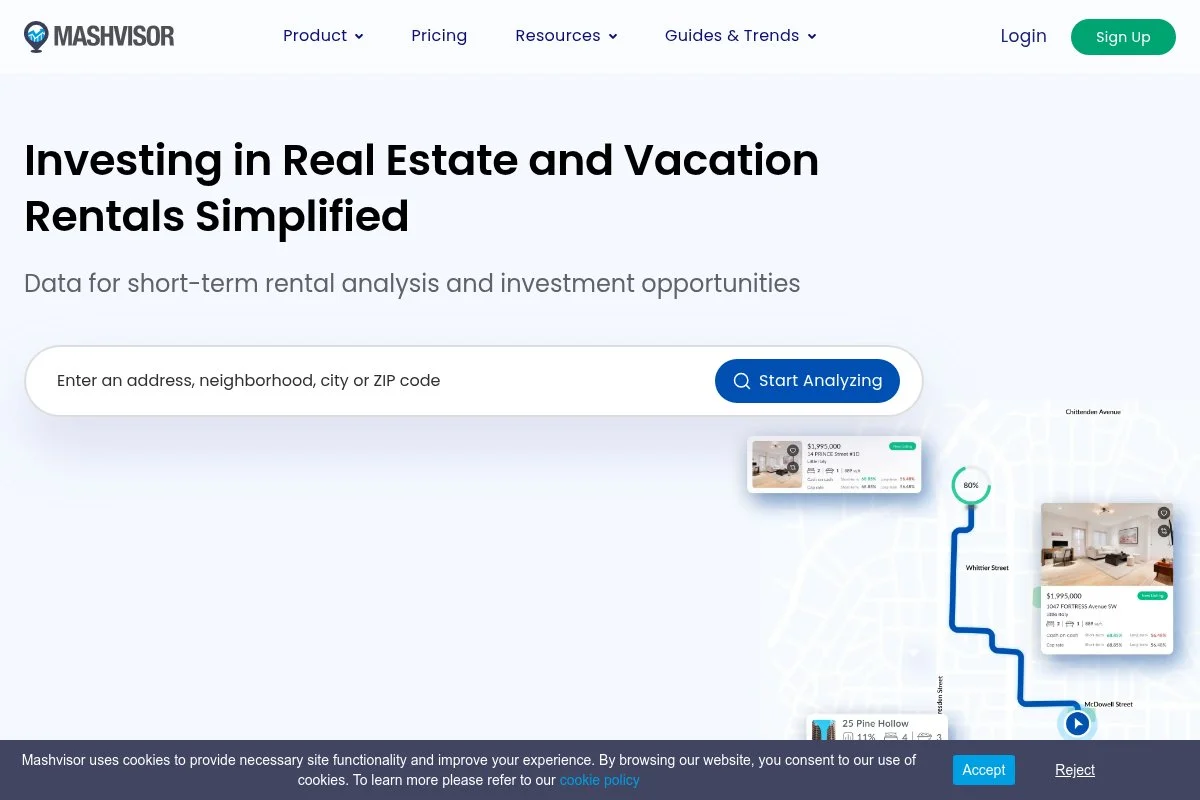
Mashvisor helps analyze long-term and short-term rental markets. It surfaces expected returns, occupancy, and comps for buyers exploring new cities.
Pricing starts at $29.99/month. Setup is simple: select a city, set budget and strategy, and browse maps with rental overlays.
Recent updates improved Airbnb-style data and neighborhood insights. Maps run smoother than older versions.
Higher tiers add more searches, export limits, and advanced filters. It is often used before making offers to narrow targets.
Good for out-of-state scouting. Pair it with local comps and boots-on-the-ground checks.
Support is email and chat with a growing help center. The UI is approachable even for first-time buyers.
How Mashvisor works and key features
The main experience is a map with filters for returns, occupancy, and prices. You can compare neighborhoods at a glance.
Templates focus on saved searches and investment criteria. Power users export lists and integrate with spreadsheets for deeper modeling.
Analytics include cash-on-cash, cap rates, and rental comps. Automations push alerts when new matches hit your buy box.
Extras include property pages and calculators. Support is responsive with tutorials. “Helped me pick a market in weeks, not months,” says one user story.
Great as a first-pass filter before underwriting.
Who Mashvisor is for
Best for out-of-state buyers, Airbnb investors, and agents advising investors. Strong for neighborhood-level scouting. If you need owner data and outreach, use another tool with it. No technical skill required.
Mashvisor pricing
Pricing is tiered by features and export limits.
- Lite: $29.99/month, basic search and analytics
- Standard: $49.99/month, more filters, exports, and alerts
- Professional: $74.99/month (billed annually), highest limits and advanced features
For market selection, the value is solid. Annual plans reduce cost. Be sure to verify assumptions with local data.
Mashvisor pros and cons
Pros
- Quick read on rental returns and occupancy
- Good for out-of-state scouting
- Affordable entry tier
Cons
- Estimates need local validation
- No owner contact tools
Use it to pick markets and neighborhoods. Use other tools to source and contact owners.
Mashvisor reviews
G2/Capterra: Mixed-to-positive, with praise for maps and some notes on estimate accuracy needing ground checks.
Best For Local Property Intelligence: PropertyRadar
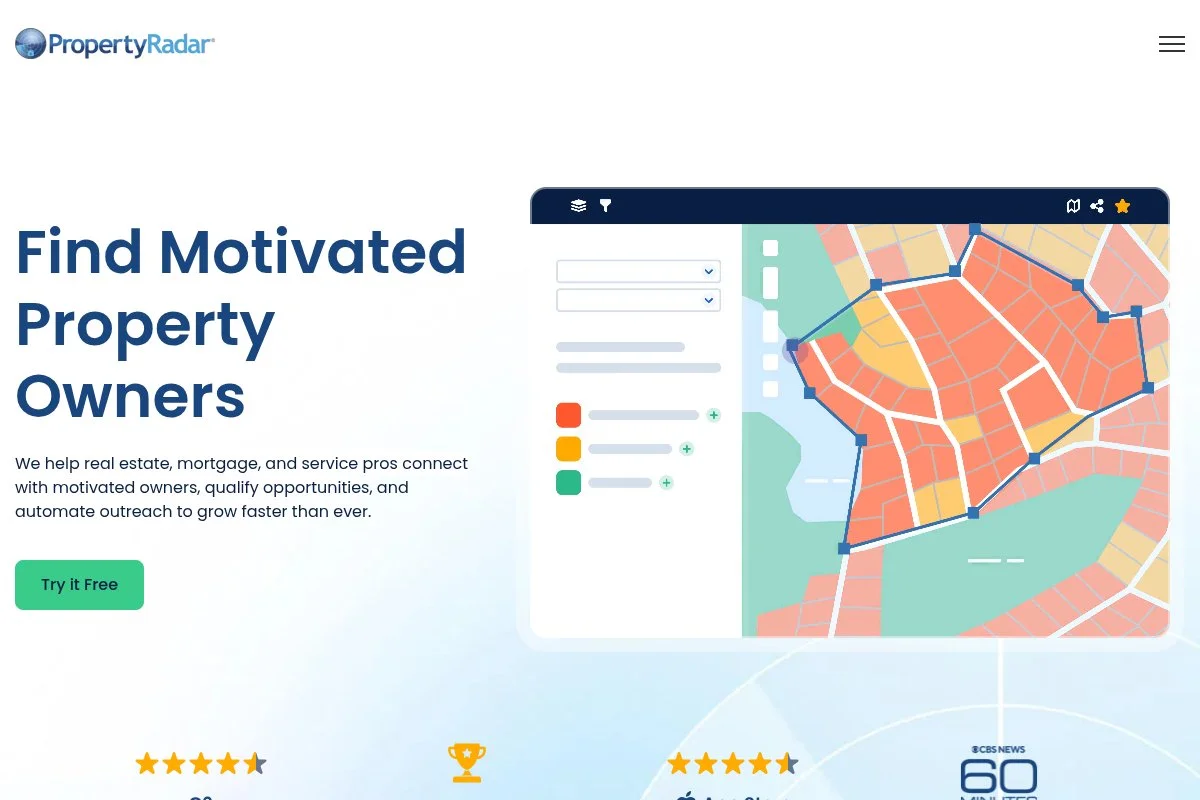
PropertyRadar delivers small-business intelligence on properties and owners, with strong coverage in certain states. It is popular for local list pros who want deep slicing.
Pricing starts at $119/month. Setup includes markets, lists, and automations. Daily use is about filters, owner profiles, and exports.
Recent work improved speed and mobile usability. Coverage has expanded, but check your region first.
Higher plans add more seats, higher export limits, and business-grade features. It pairs well with mail and phone tools.
We like it for county-level mastery. You can build very targeted segments with confidence.
Support is clear with strong data docs. The UI leans analytical, which data lovers enjoy.
How PropertyRadar works and key features
The interface is a map and filter engine with property and owner cards. You can assign tags, notes, and automate list updates.
Templates help with common segments. Advanced users build automations to push new matches to CRMs or mail houses.
Analytics include list growth, activity, and owner insights. Automations can refresh lists and send webhooks on changes.
Extras include heat maps and route planning basics. Support is strong with webinars. “Data is very clean in my county,” is common praise.
Balanced for analysts and local pros who love filters.
Who PropertyRadar is for
Best for local wholesalers, door knockers, and service businesses targeting owners. Strong for geo-targeted, owner-level marketing. If your state is not covered well, consider a national tool. Some learning curve on filters.
PropertyRadar pricing
Pricing is tiered by features, users, and export limits. Trials are available at times.
- Solo: $119/month, core data, basic exports, single user
- Team: $249/month, higher limits, more automations, more users
- Business: $599/month, teams, APIs/webhooks, priority support
It is priced for power users who need local depth. Annual savings help. Check coverage before you commit.
PropertyRadar pros and cons
Pros
- Strong property and owner intelligence
- Automations for dynamic lists
- Great for local targeting
Cons
- Coverage varies by state
- Pricier for casual users
Pick it if your core counties are covered. If not, go with a national data tool.
PropertyRadar reviews
G2/Capterra: Positive among data-driven users; coverage differences explain the mixed notes in some regions.
Best For Step-By-Step Workflows: REIPro
REIPro focuses on step-by-step workflows for investors. It guides you from lead to close with built-in tasks, scripts, and documents.
Plans start at $109/month (or $89/month billed annually). Onboarding is a guided tour of stages and templates. Daily use is following steps, logging touches, and sending letters.
Recent updates refined document packs and training. It remains steady for investors who like structure.
Higher tiers add more leads, users, and marketing features. It also includes education material for new investors.
Primarily for beginners who want a checklist approach. It reduces guesswork on “what’s next.”
Support is friendly with many tutorials. The UI is clear and step-driven.
How REIPro works and key features
The interface is a pipeline with numbered steps. You get scripts, letters, and contracts tied to each stage.
Templates make repeatable processes easy. Power users can adjust steps, tags, and exports, and tie into other tools with Zapier.
Reports show pipeline health and task completion. Automations remind you of follow-ups and document sends.
Extras include training videos and basic marketing. Support is via help center and email. “The steps kept me consistent,” is a common review theme.
Very beginner-friendly, with enough depth for small teams.
Who REIPro is for
Best for new wholesalers, small flippers, and agents learning investor workflows. Great if you want scripts and documents ready. If you need advanced data and driving tools, look higher on the list. Little to no technical skill needed.
REIPro pricing
Pricing is simple by user count and features. Trials or first-month promos appear often.
- Standard: $109/month ($89/month annual), workflows, documents, basic marketing
- Team/Pro: $247–$297/month, more users, more leads, stronger marketing
It is priced fairly for the structure and templates. Annual plans can lower cost. Consider pairing with a data tool as you grow.
REIPro pros and cons
Pros
- Clear step-by-step workflows
- Ready scripts and documents
- Good for building consistency
Cons
- Data and driving tools are limited
- Less flexible for advanced teams
Pick this if you want structure from day one. Upgrade to deeper data as your volume grows.
REIPro reviews
Capterra: Generally positive, with users highlighting the guided steps. Review volume is moderate.
Which Real Estate Investing Software Should You Start With?
Start with your biggest bottleneck. Are you struggling to find leads, reach owners, follow up, or underwrite deals? The right “first tool” depends on that answer.
If your main goal is to generate off-market leads and fast outreach, look for a platform that combines property data, owner identification, and direct contact in a single workflow. This is where DealMachine fits for teams that want data and outreach under one roof.
If you're more focused on research and analysis instead of generating leads, PropStream might be for you.
If deals slip because follow-up is messy, a CRM-focused system like REI BlackBook can help your team track calls, messages, and next steps in one place.
If you need to underwrite quickly and share numbers with partners, a calculator tool like DealCheck keeps your offers grounded and your reports clean.
If you are holding rentals, bookkeeping software like Stessa helps you stay organized for tax time and see real performance by property.
If your team runs heavy outbound texting, tools built around SMS workflows, like BatchLeads, can speed up conversations and routing, as long as you have a clear compliance process.
Many investors use two or three tools together. A common setup is: a lead source, an outreach tool, and a follow-up system. If you want to see how DealMachine brings property data, list building, skip tracing, and direct mail into one on-the-go platform, you can learn more at dealmachine.com.
No matter what you choose, keep it simple. Pick one main workflow, run it for a full month, then add tools only when the next bottleneck shows up.
About David Lecko
David Lecko is the CEO of DealMachine. DealMachine helps real estate investors get more deals for less money with software for lead generation, lead filtering and targeting, marketing and outreach, and acquisitions and dispositions.